Best Uizard alternative for Mobile App Design.
Lateron is a Uizard alternative for founders and builders who want to describe a screen in plain text and get one high-fidelity interactive interface per prompt, covering mobile app, web, and dashboard interfaces, ready to download as source code or high-resolution PNG.
What is Uizard?
Uizard is one of the closest tools to Lateron: it turns text prompts and hand sketches into editable UI designs and clickable prototypes.
Is Lateron a good Uizard alternative?
Uizard and Lateron are genuinely similar, both take a text prompt and give you a UI, so the choice comes down to what you want out of the other end. Uizard is a design editor: it produces editable wireframes and clickable prototypes you keep working on inside its canvas, and sketch-to-wireframe is one of its signature features. Lateron is a generation-first design agent: you describe a screen, it renders one high-fidelity interactive interface with real components and platform-appropriate layout, and you refine it by prompting again rather than dragging elements around. You download the result as a PNG. It's $9 a month for 50 credits or $30 for 200. Pick Uizard if editing and prototyping in one tool matters most. Pick Lateron if you mainly want a finished-looking screen fast, from a description.
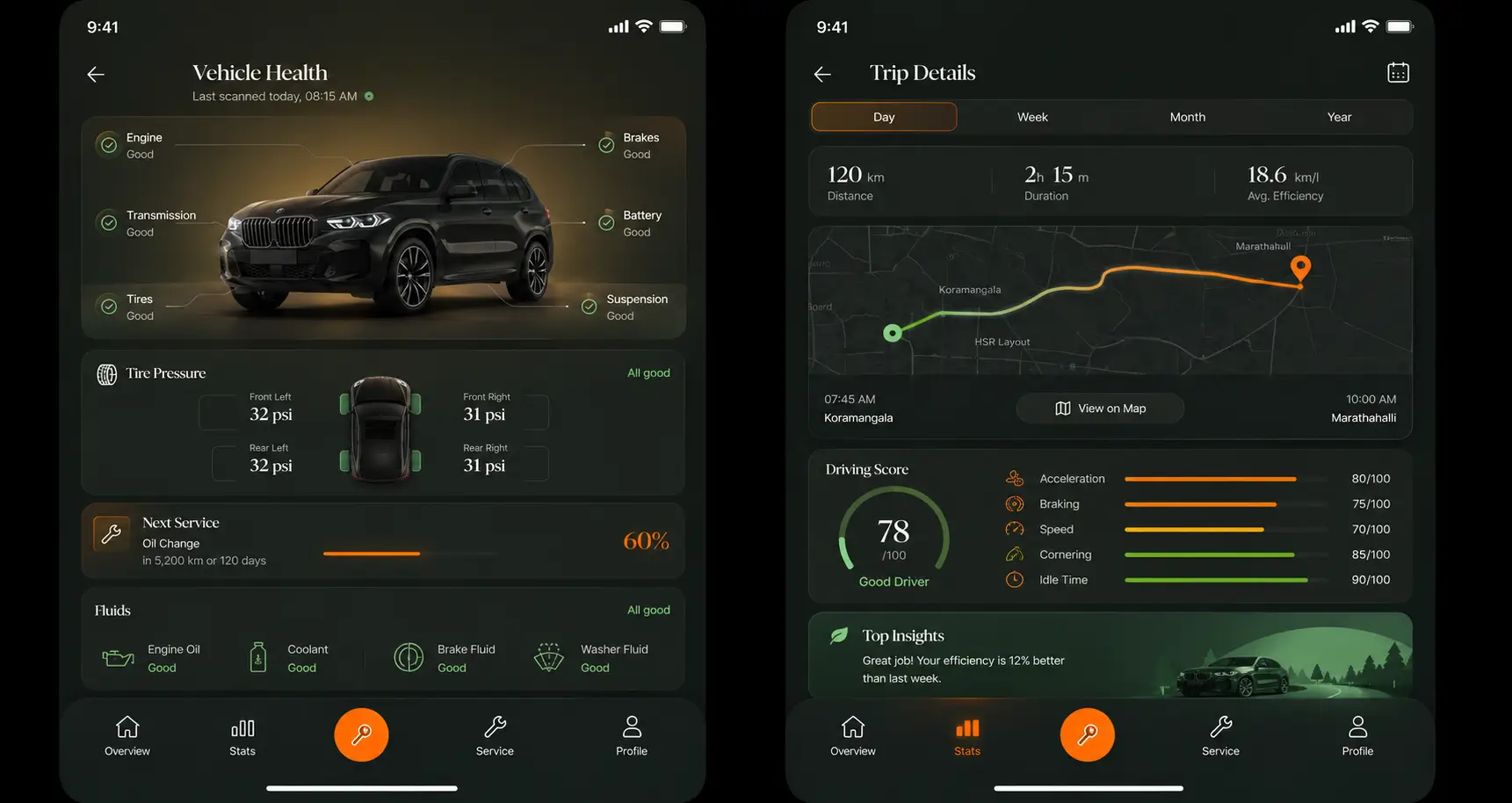
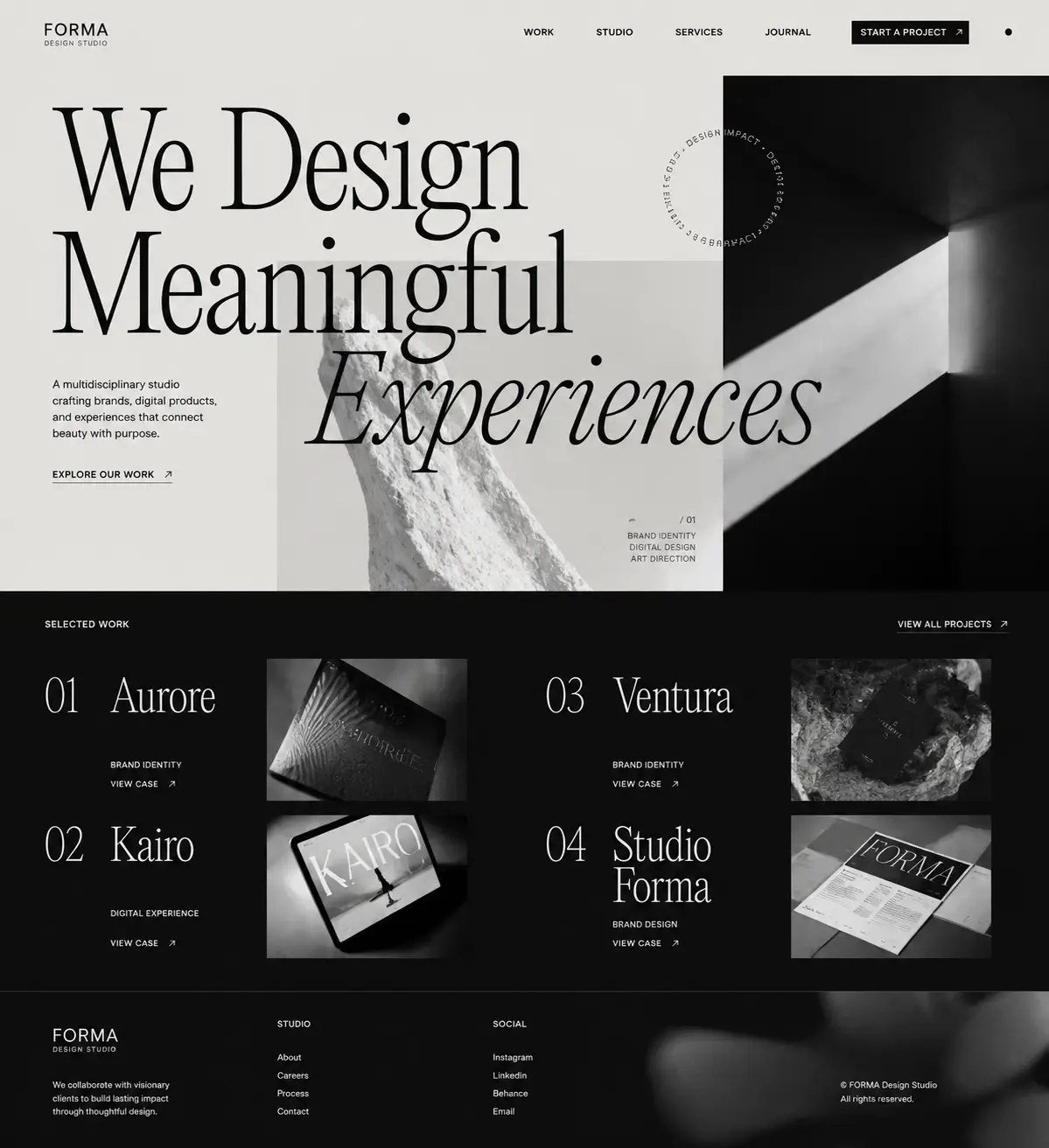
Uizard is one of the closest tools to Lateron: it turns text prompts and hand sketches into editable UI designs and clickable prototypes.
The overlap is real, so the honest difference is in what each optimizes for. Uizard leans into editable wireframes and prototype flows you assemble in its editor. Lateron leans into finished, high-fidelity screens: describe what you want and it renders one polished design you refine by prompting again, then download as PNG.
- Output
- one high-fidelity interactive interface per prompt
- Platforms
- mobile app, web, and dashboard interfaces
- Export
- download as source code or high-resolution PNG
- Pricing
- Pro is $9/month with 50 credits; Ultimate is $30/month with 200 credits
If you want to convert sketches to wireframes, or build a clickable prototype you keep editing inside one tool, Uizard is squarely built for that.
What is Lateron?
Lateron is an AI design agent: describe a screen in plain text and get one high-fidelity interactive interface per prompt, covering mobile app, web, and dashboard interfaces, ready to download as source code or high-resolution PNG.
- →Output: one high-fidelity interactive interface per prompt
- →Editing: refine any interface with a follow-up prompt
- →Export: download as source code or high-resolution PNG
- →Pricing: Pro is $9/month with 50 credits; Ultimate is $30/month with 200 credits
Lateron vs Uizard, feature by feature.
An honest, side-by-side look for teams choosing between the two. Competitor details are kept at a widely-known level; verify current specifics on Uizard's own site.
| Feature | Lateron | Uizard |
|---|---|---|
| Core approach | Generation-first: prompt → finished screen | Editor-first: build & edit on a canvas |
| Text prompt to UI | Yes — one high-fidelity interactive interface per prompt | Yes |
| Refine after generating | Follow-up prompts | Manual editing + prompts |
| Sketch / wireframe scanning | No | Yes — a signature feature |
| Clickable prototypes | Interactive interface, not a linked multi-screen prototype | Yes |
| Fidelity of first output | High-fidelity mockup | Wireframe to mid-fidelity, editable |
| Platforms | Mobile app, web, and dashboard layouts | App, web, and desktop UI |
| Export | source code or PNG | Editor-based, varies by plan |
| Best for | A finished-looking screen fast, from a sentence | Editing, prototyping, and team collaboration |
Why people look for a Uizard alternative
- →You want a finished, high-fidelity screen rather than a wireframe to build up
- →You'd rather refine by describing changes than drag elements on a canvas
- →You want one clear design per prompt instead of assembling a flow
- →You mainly need a downloadable PNG mockup to share or design against
- →You want mobile, web, or dashboard conventions applied for you
Choose Lateron if
- You want a high-fidelity screen in seconds from a text prompt
- You prefer refining with follow-up prompts over manual editing
- You need a quick, polished mockup to download as source code or PNG
- You want mobile, web, or dashboard layout conventions applied automatically
- You want simple pricing: $9/mo for 50 credits, $30/mo for 200
Choose Uizard if
- You want to turn hand sketches or screenshots into editable UI
- You need clickable prototypes you keep editing in one tool
- Your team needs a shared canvas for prototyping and review
- You're planning flows across app, web, and desktop surfaces
Lateron vs Uizard, quick answers.
What is the best Uizard alternative?
Lateron is a strong Uizard alternative if you want a generation-first workflow: describe a screen and get one high-fidelity interactive interface in seconds, refined by follow-up prompts and downloaded as a PNG — rather than assembling wireframes and prototypes in an editor.
Is Lateron better than Uizard?
It depends on the job. Lateron is better when you want a finished-looking screen fast from a description. Uizard is better when you need sketch scanning, clickable prototypes, and a collaborative editing canvas.
What is the difference between Uizard and Lateron?
Uizard is an editor-first tool for wireframes, prototypes, and sketch-to-UI that your team keeps editing. Lateron is a generation-first design agent that renders one high-fidelity interactive interface per prompt, which you refine by prompting again and download as source code or PNG.
Does Lateron do wireframes and prototypes like Uizard?
No. Lateron generates high-fidelity interactive interfaces, not editable wireframes or clickable prototypes. If sketch scanning and prototyping are your priority, Uizard is the better fit.
How much does Lateron cost compared to Uizard?
Lateron has two plans: Pro at $9/month for 50 credits and Ultimate at $30/month with 200. Compare against Uizard's current plans for your specific volume, since pricing can change.
Lateron as a Uizard alternative, by use case.
Where Lateronfits best depends on what you're trying to make. Here's an honest look at the jobs it does well.
Uizard alternative for high-fidelity mockups
If what you actually want is a finished-looking screen rather than a wireframe you build up, Lateron is the more direct Uizard alternative. Uizard often starts you at low or mid fidelity so your team can shape the structure. Lateron generates a high-fidelity mockup on the first pass — real type scale, consistent spacing, and components that look like a shipping product — then you refine it with follow-up prompts and download it as a PNG.
- →One high-fidelity interactive interface per prompt, not a blank canvas
- →Real type scale, spacing, and components applied for you
- →Refine by describing changes, not dragging elements
- →Download the result as a PNG to share or design against
Uizard alternative for mobile app screens
For mobile app screens specifically, Lateron reads your prompt for mobile conventions and returns a screen laid out the way an app screen should be — navigation, safe areas, tap targets, and hierarchy. Describe an onboarding flow, a home feed, a settings page, or a paywall, and you get a high-fidelity mobile mockup you can iterate on. It's a fast Uizard alternative when the deliverable is a concrete mobile screen rather than a prototype to click through.
- →Onboarding, home, feed, detail, settings, and paywall screens
- →Mobile layout conventions applied automatically
- →Refine any screen with a follow-up prompt
Uizard alternative for web app and dashboard design
Lateron also generates web and dashboard layouts, which makes it a practical Uizard alternative for SaaS and internal-tool screens. Describe an analytics dashboard, a pipeline view, or a settings area, and it returns a high-fidelity web mockup with a sensible information hierarchy, cards, tables, and navigation — the kind of density a dashboard needs, rather than a generic wireframe.
- →Analytics overviews, tables, pipelines, and detail views
- →Web and dashboard conventions, not phone layouts stretched wide
- →A polished first draft you can take into any build tool
Uizard alternative for landing-page mockups
When you need a landing-page mockup to explain a product before it exists, Lateron turns a description into a high-fidelity page — hero, feature sections, social proof, and a call to action. It's a quick Uizard alternative for founders and marketers who want a credible visual for a waitlist, a pitch, or a design starting point, downloadable as a PNG.
Uizard alternative for non-designers and founders
Uizard is powerful, but its editor still expects you to arrange and refine the design yourself. If you can describe what you want but don't want to lay it out by hand, Lateron is the friendlier Uizard alternative. You type a sentence, get a high-fidelity screen, and refine it in plain language — no components panel, no manual alignment, no design system to learn.
- →No canvas or components panel to learn
- →Plain-language prompts instead of manual layout
- →A presentable screen in seconds, not an afternoon
Uizard alternative for text-to-UI generation
Both tools do text-to-UI, so if that's the specific capability you're comparing, the difference is what you get back. Uizard leans toward editable, lower-fidelity output you keep working on. Lateron is tuned to return one high-fidelity screen per prompt that already looks close to done. As a text-to-UI Uizard alternative, Lateron optimizes for a strong finished draft over an editable starting point.
Uizard alternative for quick design iteration
If your loop is 'generate, react, adjust, repeat,' Lateron makes iteration a matter of prompting rather than editing. Each follow-up prompt returns a revised high-fidelity screen, so you can explore directions quickly. It's a lightweight Uizard alternative for anyone who'd rather describe the change than perform it on a canvas.
Uizard alternative for design handoff visuals
When you need a clear visual to hand a developer or an AI coding tool, a high-fidelity mockup communicates intent better than a rough wireframe. Lateron produces downloadable source code and a PNG you can attach to a ticket, a spec, or a build prompt so the person (or tool) implementing it has a concrete target. It does not export editable Figma layers, so if you need those specifically, Uizard or a dedicated design tool is the better fit.
Lateron as a Uizardalternative, by who's using it.
Uizard alternative for startup founders
Founders usually need a believable screen fast — for a waitlist, an investor deck, or a build brief — not a prototype to maintain. Lateron is a founder-friendly Uizard alternative: describe the app, get high-fidelity screens, refine by prompt, and download PNGs to drop into a landing page or pitch.
Uizard alternative for product managers
PMs can use Lateron to turn a written idea into a concrete screen the team can react to in a meeting, without booking design time. It's a quick Uizard alternative for illustrating a concept, though for shared editing and clickable prototypes a PM-heavy team may still prefer Uizard's canvas.
Uizard alternative for developers
Developers often know how to build but stall on design direction. Lateron gives you a high-fidelity interface from a sentence, which you can use as a visual target or download as source code to continue building. You can also export a PNG when a shareable reference is enough to unblock the front end.
Uizard alternative for agencies and freelancers
Agencies can generate first-round concept screens in seconds to show a client what a direction could look like, then refine live. As a Uizard alternative for client work, Lateron is fastest at the concept and pitch stage; deeper prototyping and collaborative review still favor a canvas tool.
Uizard alternative for marketing teams
Marketers need product visuals for pages, ads, and decks more than they need editable prototypes. Lateron produces high-fidelity mockups you can export as PNGs and use directly, which makes it a practical Uizard alternative when the output is a visual asset rather than a design file.
From idea to a shareable screen with Lateron
- 1Write your idea as a prompt — the screen, the platform, and the vibe (e.g. 'a calm iOS meditation app home screen').
- 2Generate the first high-fidelity mockup in seconds.
- 3Refine with follow-up prompts — change the layout, colors, copy, or components until it lands.
- 4Download the screen as a PNG.
- 5Use it wherever you need it: a waitlist page, a pitch deck, a spec, or a build reference for your developer or AI coding tool.
Example prompts to try in Lateron.
Copy one of these to see how Lateron turns a description into a high-fidelity screen.
“Design a premium iOS fitness app. Include onboarding, a workout dashboard, a workout detail screen, a progress screen, and a subscription upgrade. Make it bold, energetic, and easy to scan.”
“Create a web dashboard for freelancers to track income, expenses, invoices, and tax savings. Include an overview with charts, an expenses table, an invoice list, and a settings area. Make it clean and trustworthy.”
“Design a mobile marketplace app for buying and selling used furniture. Include a browse feed, a product detail screen, a seller profile, and a chat preview. Make it modern, trustworthy, and mobile-first.”
“Create a landing page for an AI note-taking app. Include a hero with a clear value prop, a three-feature section, social proof, pricing, and a call to action. Make it modern and high-contrast.”
“Design a three-screen mobile onboarding flow for a habit-tracking app: a welcome screen, a goal-setup screen, and a notifications-permission screen. Keep it calm and focused.”
“Design a mobile SaaS dashboard for sales managers. Include an overview, a pipeline view, a lead detail screen, and a task list. Make it professional, clear, and data-friendly.”
When Lateron is not the right Uizard alternative
To be straight about it — Uizard is the better choice in these cases:
- ✕You need clickable, interactive prototypes to test flows — Lateron makes interactive interfaces.
- ✕You want to scan a hand-drawn sketch or a screenshot into editable UI — that's a Uizard strength.
- ✕Your team needs a shared canvas for real-time collaborative editing and review.
- ✕You need editable design files (Figma layers) or exported code — Lateron exports source code and PNGs, but not editable Figma layers.
- ✕You're doing deep, production-level UX work with a design system — a dedicated editor fits better.
Common questions about Lateron.
How much does Lateron cost?
Lateron has two plans: Pro at $9/month with 50 credits and Ultimate at $30/month with 200 credits.
What do you get from each generation?
One high-fidelity interactive interface per prompt, covering mobile app, web, and dashboard layouts. You can download the result as source code or PNG.
Can you change a Lateron design after generating it?
Yes. You refine any design by sending a follow-up prompt.
Can Lateron replace Uizard?
Lateron can replace Uizard for generating high-fidelity screen mockups quickly from a prompt. It is not a replacement for Uizard's prototyping, sketch scanning, or collaborative editing — for those, keep using Uizard.
Is Lateron good for wireframing?
Not really. Lateron skips wireframes and generates high-fidelity screens directly. If you specifically want low-fidelity wireframes to iterate structure, Uizard is the better fit.
Does Lateron export to Figma or code?
Lateron exports downloadable source code and high-resolution PNGs, but not editable Figma layers. If editable Figma files are essential to your workflow, Uizard or a dedicated design tool is the better choice.
What screens should I generate first in Lateron?
Start with onboarding, the home or main screen, a core feature screen, a detail or result screen, and a paywall or upgrade screen. Add settings and empty states as needed.
Can I use Lateron mockups as a build reference?
Yes. Download the source code to continue building or export the PNG as a visual reference for a ticket, spec, developer, or AI coding tool.