Best ScreensDesign alternative for App UI Design.
Lateron is a ScreensDesign alternative for founders and builders who want to describe a screen in plain text and get one high-fidelity interactive interface per prompt, covering mobile app, web, and dashboard interfaces, ready to download as source code or high-resolution PNG.
What is ScreensDesign?
ScreensDesign is an app design library and UI inspiration resource, known for its collection of real iOS app screens and design examples. Founders and designers browse it to see how shipping apps handle onboarding, paywalls, feeds, and other common screens before designing their own.
Is Lateron a good ScreensDesign alternative?
ScreensDesign and Lateron solve adjacent but different problems, so it comes down to whether you want inspiration or a design. ScreensDesign is an app design library: a curated collection of real iOS app screens and flows you browse to see how shipping products handle onboarding, paywalls, feeds, and settings. It's where you go to get ideas, not to make something. Lateron is a generation-first design agent: you describe the screen you want — say a mobile onboarding flow or a web dashboard — and it renders one high-fidelity interactive interface with a real type scale, spacing, and components for mobile, web, or dashboard, which you refine by prompting again and download as source code or PNG. It's $9/month with 50 credits or $30/month with 200 credits. Use ScreensDesign to gather inspiration from other apps; use Lateron to turn your own idea into an actual screen. In practice they pair well — browse for direction, then generate your version.
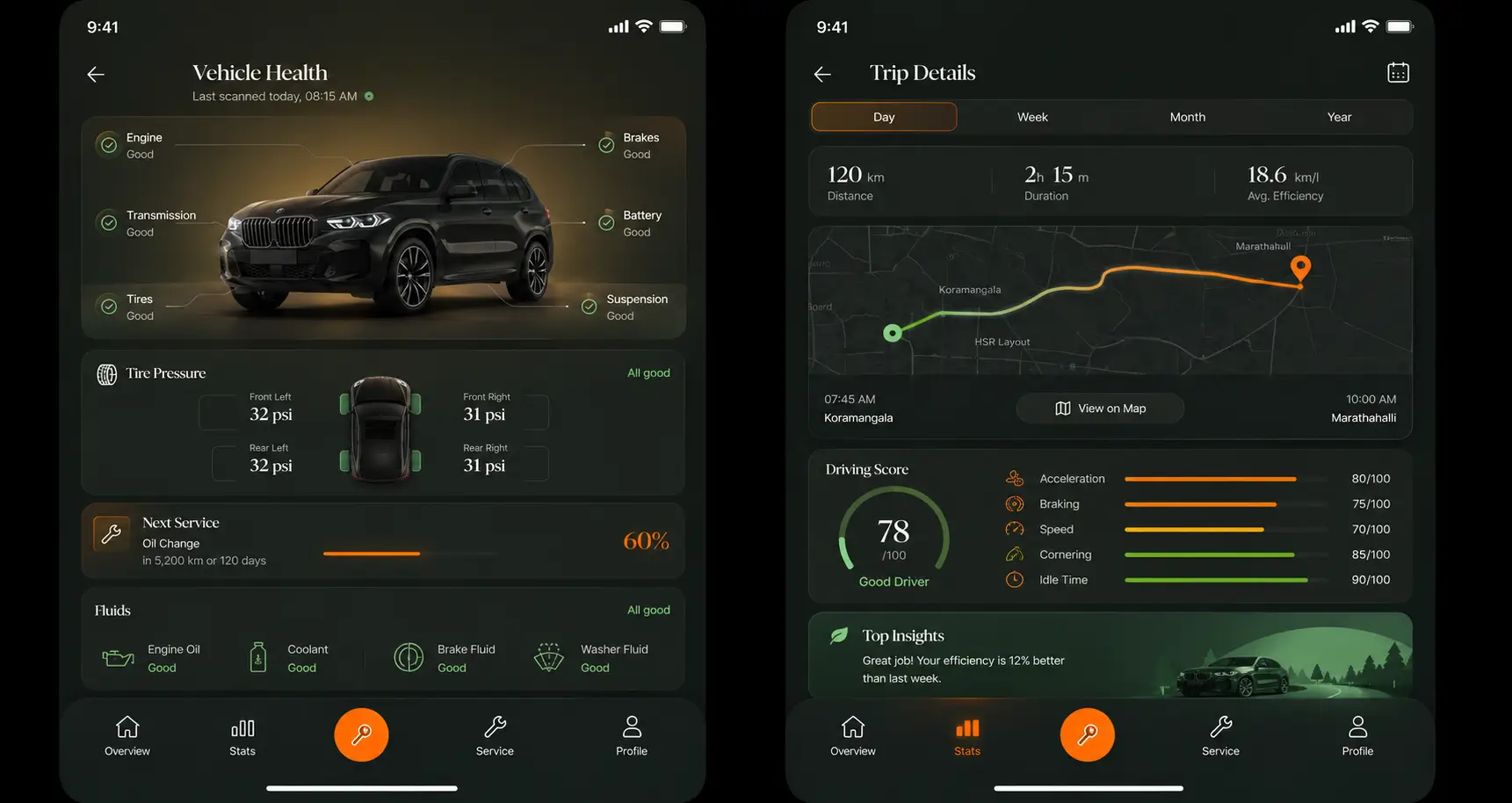
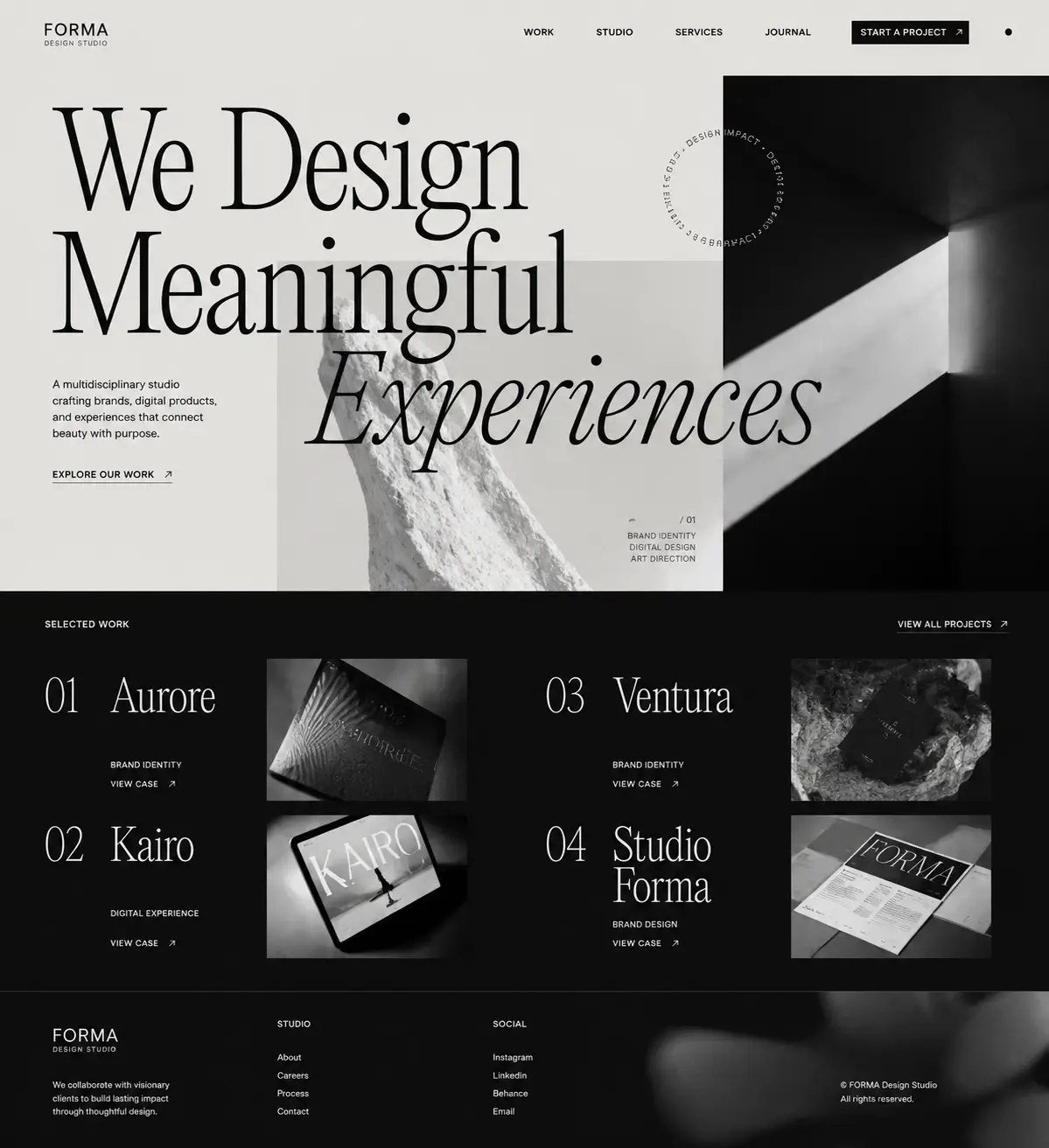
ScreensDesign is an app design library and UI inspiration resource, known for its collection of real iOS app screens and design examples. Founders and designers browse it to see how shipping apps handle onboarding, paywalls, feeds, and other common screens before designing their own.
ScreensDesign shows you other apps' finished screens for inspiration; it's a reference library, not a design tool. Lateron generates your screen: describe what you want and it renders a high-fidelity mockup for your own app, which you refine by prompting again and download as source code or PNG.
- Output
- one high-fidelity interactive interface per prompt
- Platforms
- mobile app, web, and dashboard interfaces
- Export
- download as source code or high-resolution PNG
- Pricing
- Pro is $9/month with 50 credits; Ultimate is $30/month with 200 credits
If what you want is to browse real, shipping app screens for inspiration and patterns, ScreensDesign is a curated library built for exactly that. Lateron doesn't host a gallery of other apps — it generates a screen for yours.
What is Lateron?
Lateron is an AI design agent: describe a screen in plain text and get one high-fidelity interactive interface per prompt, covering mobile app, web, and dashboard interfaces, ready to download as source code or high-resolution PNG.
- →Output: one high-fidelity interactive interface per prompt
- →Editing: refine any interface with a follow-up prompt
- →Export: download as source code or high-resolution PNG
- →Pricing: Pro is $9/month with 50 credits; Ultimate is $30/month with 200 credits
Lateron vs ScreensDesign, feature by feature.
An honest, side-by-side look for teams choosing between the two. Competitor details are kept at a widely-known level; verify current specifics on ScreensDesign's own site.
| Feature | Lateron | ScreensDesign |
|---|---|---|
| Core purpose | Generate a screen for your own app | Browse real app screens for inspiration |
| Type of product | AI design generator | Design library / inspiration gallery |
| Text prompt to UI | Yes — one high-fidelity interactive interface per prompt | No — it's a curated reference library |
| Output you get | A new mockup you can download and use | Examples from other shipping apps |
| Refine / iterate | Follow-up prompts | N/A — browse and reference |
| Platforms | Mobile app, web, and dashboard layouts | iOS app screens (inspiration focus) |
| Export | source code or PNG of your design | Reference material, not your asset |
| Best for | Turning your idea into an actual screen | Gathering design inspiration and patterns |
Why people look for a ScreensDesign alternative
- →You want to create your own screen, not just look at other apps'
- →You want a downloadable mockup you can use, share, or build from
- →You'd rather generate a design than browse a gallery for ideas
- →You want mobile, web, or dashboard conventions applied to your idea
- →You want to move from inspiration to an actual screen in one step
Choose Lateron if
- You want a high-fidelity screen in seconds from a text prompt
- You want a design for your own app, not examples from others
- You prefer refining with follow-up prompts over hunting for references
- You need a polished PNG mockup to share, pitch, or design against
- You want simple pricing: $9/mo for 50 credits, $30/mo for 200
Choose ScreensDesign if
- You mainly want to browse real, shipping app screens for inspiration
- You're studying how other apps handle onboarding, paywalls, or feeds
- You want a curated reference library of iOS design patterns
- You're gathering visual direction before you design anything
Lateron vs ScreensDesign, quick answers.
What is the best ScreensDesign alternative?
It depends on what you need. If you want to generate your own screens rather than browse other apps for inspiration, Lateron is a strong ScreensDesign alternative: describe a screen and get one high-fidelity interactive interface in seconds, refined by follow-up prompts and downloaded as a PNG.
Is Lateron better than ScreensDesign?
They do different jobs. ScreensDesign is better when you want to browse real, shipping app screens for inspiration. Lateron is better when you want to turn your own idea into an actual, downloadable screen.
What is the difference between ScreensDesign and Lateron?
ScreensDesign is an inspiration library of real iOS app screens you browse for ideas and patterns. Lateron is an AI design generator: you describe a screen and it renders one high-fidelity interactive interface for your own app, which you refine by prompting and download as source code or PNG.
Does ScreensDesign generate designs like Lateron?
No. ScreensDesign is a curated library of existing app screens for inspiration — it shows you other products' designs. Lateron generates a new screen from your description that you can download and use.
Can I use ScreensDesign and Lateron together?
Yes, and they pair naturally. Browse ScreensDesign to gather design direction and patterns from shipping apps, then use Lateron to generate your own version of the screen from a prompt.
Lateron as a ScreensDesign alternative, by use case.
Where Lateronfits best depends on what you're trying to make. Here's an honest look at the jobs it does well.
ScreensDesign alternative for generating your own screens
ScreensDesign is great for seeing what other apps look like, but at some point you need a screen for your app. That's the direct ScreensDesign alternative Lateron fills: instead of browsing examples, you describe the screen you want and get a high-fidelity mockup on the first pass — real type scale, consistent spacing, and components that look like a shipping product — then refine it with follow-up prompts and download it as a PNG.
- →One high-fidelity interactive interface per prompt, for your own app
- →Real type scale, spacing, and components applied for you
- →Refine by describing changes, not searching for new references
- →Download the result as a PNG to share or design against
ScreensDesign alternative for mobile app screens
ScreensDesign leans heavily toward iOS inspiration. Lateron generates the mobile screen itself: describe an onboarding flow, a home feed, a settings page, or a paywall, and it returns a high-fidelity mobile mockup laid out the way an app screen should be — navigation, safe areas, tap targets, and hierarchy. It's a ScreensDesign alternative for when you're done gathering ideas and need a concrete screen.
- →Onboarding, home, feed, detail, settings, and paywall screens
- →Mobile layout conventions applied automatically
- →Refine any screen with a follow-up prompt
ScreensDesign alternative for web app and dashboard design
ScreensDesign focuses on mobile app inspiration, so if you're designing web or dashboard screens it's less of a fit. Lateron generates web and dashboard layouts from a description — analytics overviews, pipelines, tables, and settings — with the information density those screens need. It's a practical ScreensDesign alternative when your work isn't iOS-only.
- →Analytics overviews, tables, pipelines, and detail views
- →Web and dashboard conventions, not phone layouts stretched wide
- →A polished first draft you can take into any build tool
ScreensDesign alternative for non-designers and founders
Browsing a library helps, but it still leaves you with a blank canvas when it's time to design. If you can describe what you want but can't design it by hand, Lateron is the ScreensDesign alternative that closes that gap: type a sentence, get a high-fidelity screen, refine it in plain language, download a PNG. No design background, no gallery-hunting for the exact right reference.
- →From idea to a real screen without design skills
- →Plain-language prompts instead of manual layout
- →A presentable screen in seconds, not an afternoon of research
ScreensDesign alternative for landing-page mockups
When you need a landing-page mockup to explain a product before it exists, an inspiration library won't produce it for you. Lateron turns a description into a high-fidelity page — hero, feature sections, social proof, and a call to action — that you can download as source code or PNG. It's a quick ScreensDesign alternative for founders and marketers who need an actual visual, not just references.
ScreensDesign alternative for design inspiration to real screen
The natural workflow is inspiration first, creation second. Use ScreensDesign to study how shipping apps handle a screen, then use Lateron to generate your own version from a prompt. As a ScreensDesign alternative for the creation half, Lateron turns the direction you gathered into a concrete, downloadable mockup.
ScreensDesign alternative for quick design iteration
A library is static — you look, you leave. Lateron makes iteration active: describe a screen, react to what you get, and adjust with follow-up prompts. It's a ScreensDesign alternative for anyone who wants to move from 'here's a nice reference' to 'here's my screen, refined three times' in minutes.
Lateron as a ScreensDesignalternative, by who's using it.
ScreensDesign alternative for startup founders
Founders browse inspiration libraries to figure out what good looks like, but eventually need a screen of their own — for a waitlist, a deck, or a build brief. Lateron is a founder-friendly ScreensDesign alternative: describe the app, get high-fidelity screens, refine by prompt, and download PNGs to use immediately.
ScreensDesign alternative for product managers
PMs use references to communicate a vision, but a link to another app only goes so far. Lateron lets a PM turn the idea into a concrete screen the team can react to in a meeting. It's a quick ScreensDesign alternative for illustrating your own concept rather than pointing at someone else's.
ScreensDesign alternative for developers
Developers often collect UI references to build against, then still have to interpret them. Lateron gives you a high-fidelity reference screen generated for your exact idea, which you use as a visual target while you build. It doesn't export code — it gives you a clear PNG to implement against.
ScreensDesign alternative for designers
Designers use ScreensDesign for inspiration and pattern research, which Lateron doesn't replace. Where Lateron helps is the first draft: generate a high-fidelity starting screen from a prompt, then take it into your own tool to refine. Think of it as inspiration in ScreensDesign, first draft in Lateron.
ScreensDesign alternative for indie hackers
Indie hackers move fast and can't spend a day sifting through galleries. Lateron is a ScreensDesign alternative that gets you to a real screen quickly: prompt, generate, refine, download, ship the visual to a landing page or pitch — without waiting on inspiration to turn into output.
From inspiration to your own screen with Lateron
- 1Gather direction — note the patterns and screens you like from apps you admire.
- 2Write your idea as a prompt — the screen, the platform, and the vibe (e.g. 'a calm iOS meditation app home screen').
- 3Generate the first high-fidelity mockup in seconds.
- 4Refine with follow-up prompts — adjust layout, colors, copy, or components until it lands.
- 5Download the screen as a PNG and use it on a waitlist, a pitch deck, a spec, or as a build reference.
Example prompts to try in Lateron.
Copy one of these to see how Lateron turns a description into a high-fidelity screen.
“Design a premium iOS fitness app. Include onboarding, a workout dashboard, a workout detail screen, a progress screen, and a subscription upgrade. Make it bold, energetic, and easy to scan.”
“Create a web dashboard for freelancers to track income, expenses, invoices, and tax savings. Include an overview with charts, an expenses table, an invoice list, and a settings area. Make it clean and trustworthy.”
“Design a mobile marketplace app for buying and selling used furniture. Include a browse feed, a product detail screen, a seller profile, and a chat preview. Make it modern, trustworthy, and mobile-first.”
“Design an iOS social app home feed with stories, a post card with reactions, a comments sheet, and a create-post screen. Make it clean, modern, and familiar.”
“Design a three-screen mobile onboarding flow for a habit-tracking app: a welcome screen, a goal-setup screen, and a notifications-permission screen. Keep it calm and focused.”
“Design a mobile SaaS dashboard for sales managers. Include an overview, a pipeline view, a lead detail screen, and a task list. Make it professional, clear, and data-friendly.”
When Lateron is not the right ScreensDesign alternative
To be straight about it — ScreensDesign is the better choice in these cases:
- ✕You mainly want to browse real, shipping app screens for inspiration — that's exactly what ScreensDesign is for.
- ✕You're researching how many different apps solve the same screen — a curated library beats generating one design.
- ✕You want a reference archive to return to over time, not a one-off mockup.
- ✕You need editable design files or code — Lateron exports source code and PNGs, but not editable Figma layers.
- ✕You're doing deep, production-level UX work with a design system — a dedicated editor fits better.
Common questions about Lateron.
How much does Lateron cost?
Lateron has two plans: Pro at $9/month with 50 credits and Ultimate at $30/month with 200 credits.
What do you get from each generation?
One high-fidelity interactive interface per prompt, covering mobile app, web, and dashboard layouts. You can download the result as source code or PNG.
Can you change a Lateron design after generating it?
Yes. You refine any design by sending a follow-up prompt.
Can Lateron replace ScreensDesign?
Not exactly — they do different jobs. ScreensDesign is an inspiration library; Lateron generates your own screens. Lateron replaces the 'now I need to actually design it' step, while ScreensDesign remains useful for gathering direction.
Does Lateron have a gallery of app screens to browse?
No. Lateron generates a screen from your description rather than hosting a library of other apps' screens. If browsing a curated gallery is what you want, ScreensDesign is the better fit.
Is Lateron good for design inspiration?
Lateron is better for creating than for browsing. It can generate variations of your idea to explore directions, but if you want to study lots of real shipping apps, use ScreensDesign for that and Lateron to build your version.
What screens should I generate first in Lateron?
Start with onboarding, the home or main screen, a core feature screen, a detail or result screen, and a paywall or upgrade screen. Add settings and empty states as needed.
Can I use Lateron mockups as a build reference?
Yes. Download the source code to continue building or export the PNG as a visual reference for a ticket, spec, developer, or AI coding tool.